START HERE • STEP 1
Open Settings
After tapping Allow and Close, follow the screenshot below.
↓
1
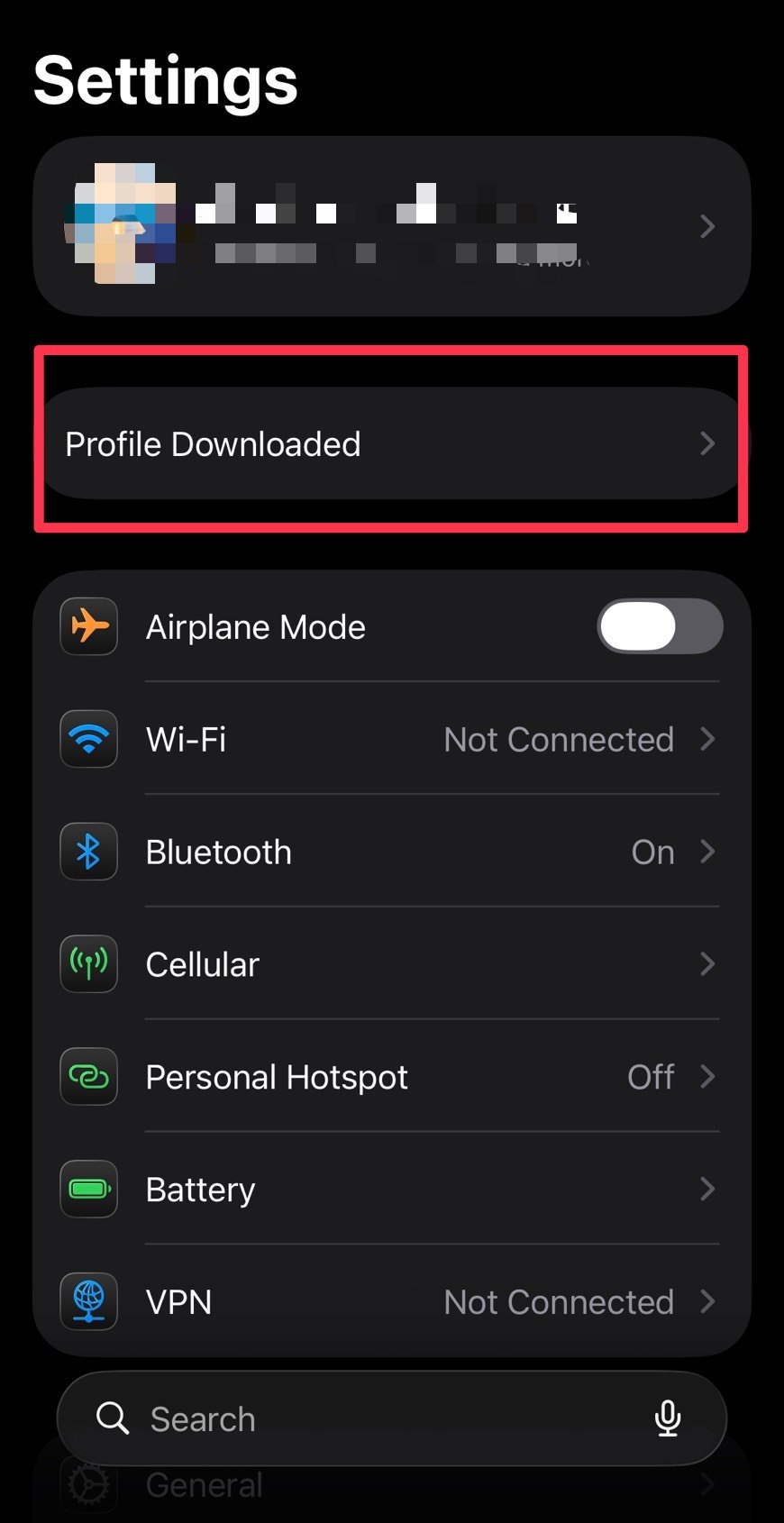
Settings → Profile Downloaded
Open Settings, then tap Profile Downloaded.
2
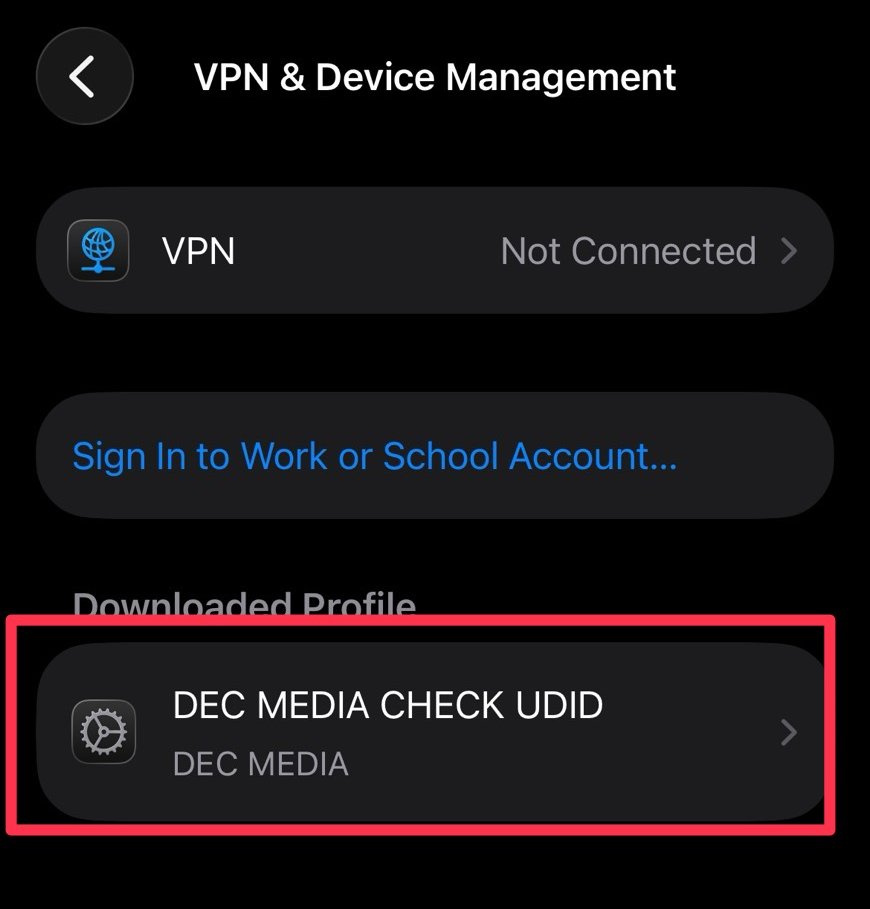
DEC MEDIA CHECK UDID
Select DEC MEDIA CHECK UDID.
3
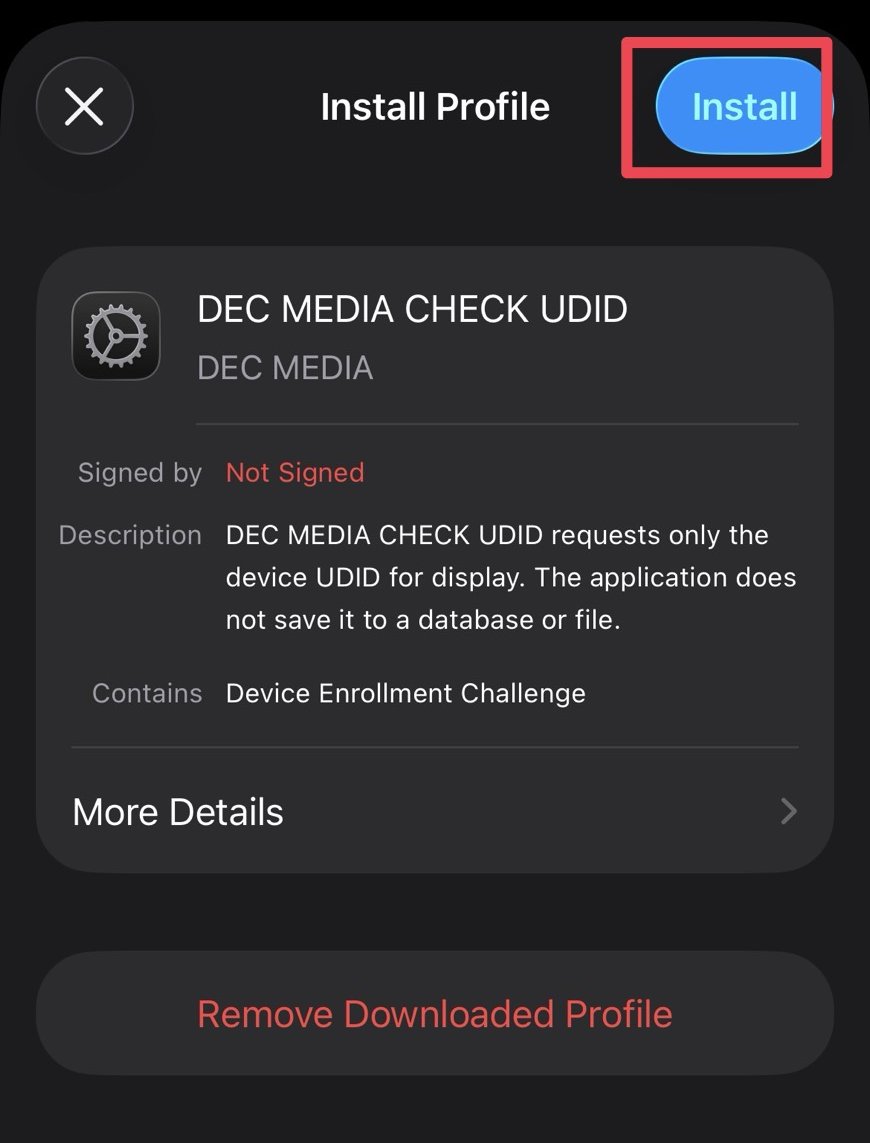
INSTALL
On the Install Profile screen, tap Install in the top-right corner.
4
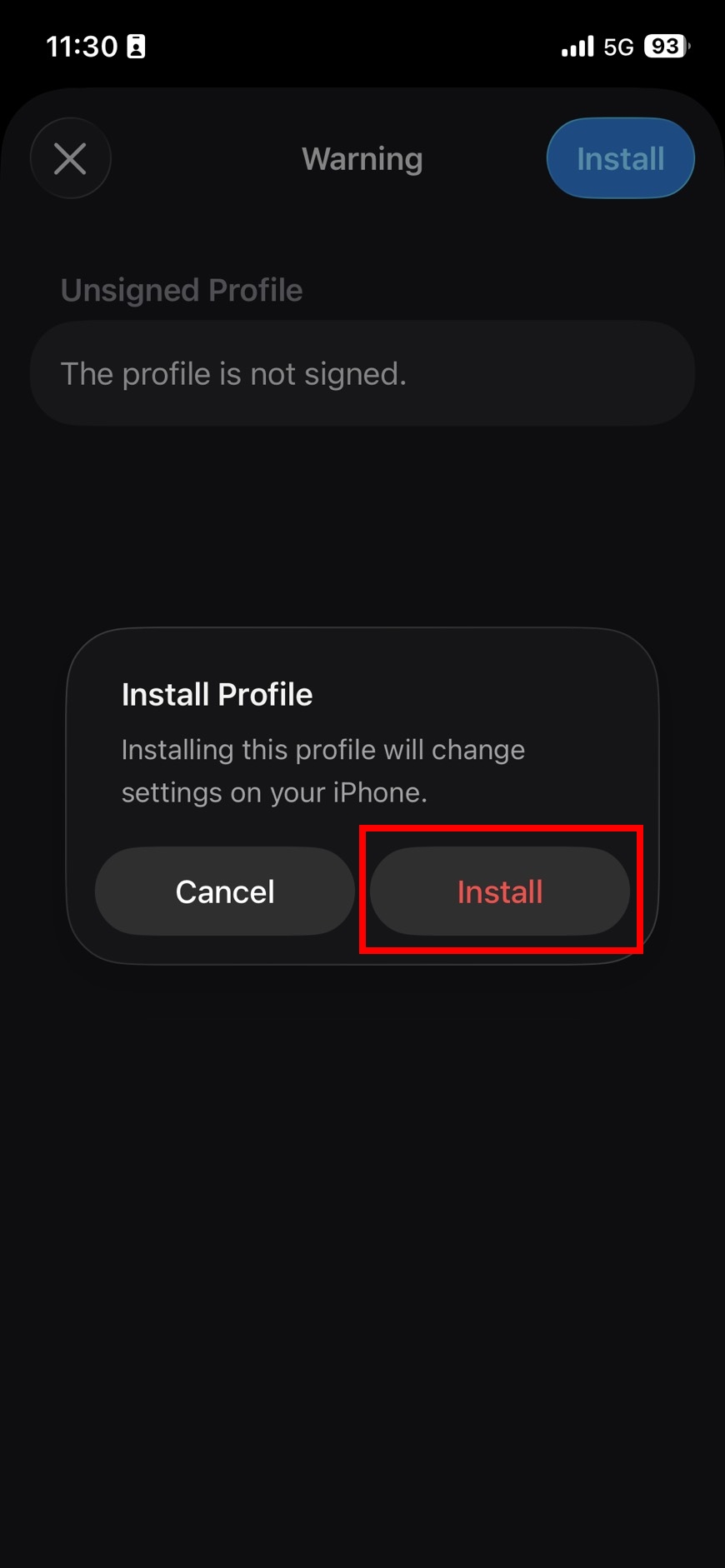
Confirm Install
When the confirmation dialog appears, tap Install again.
5
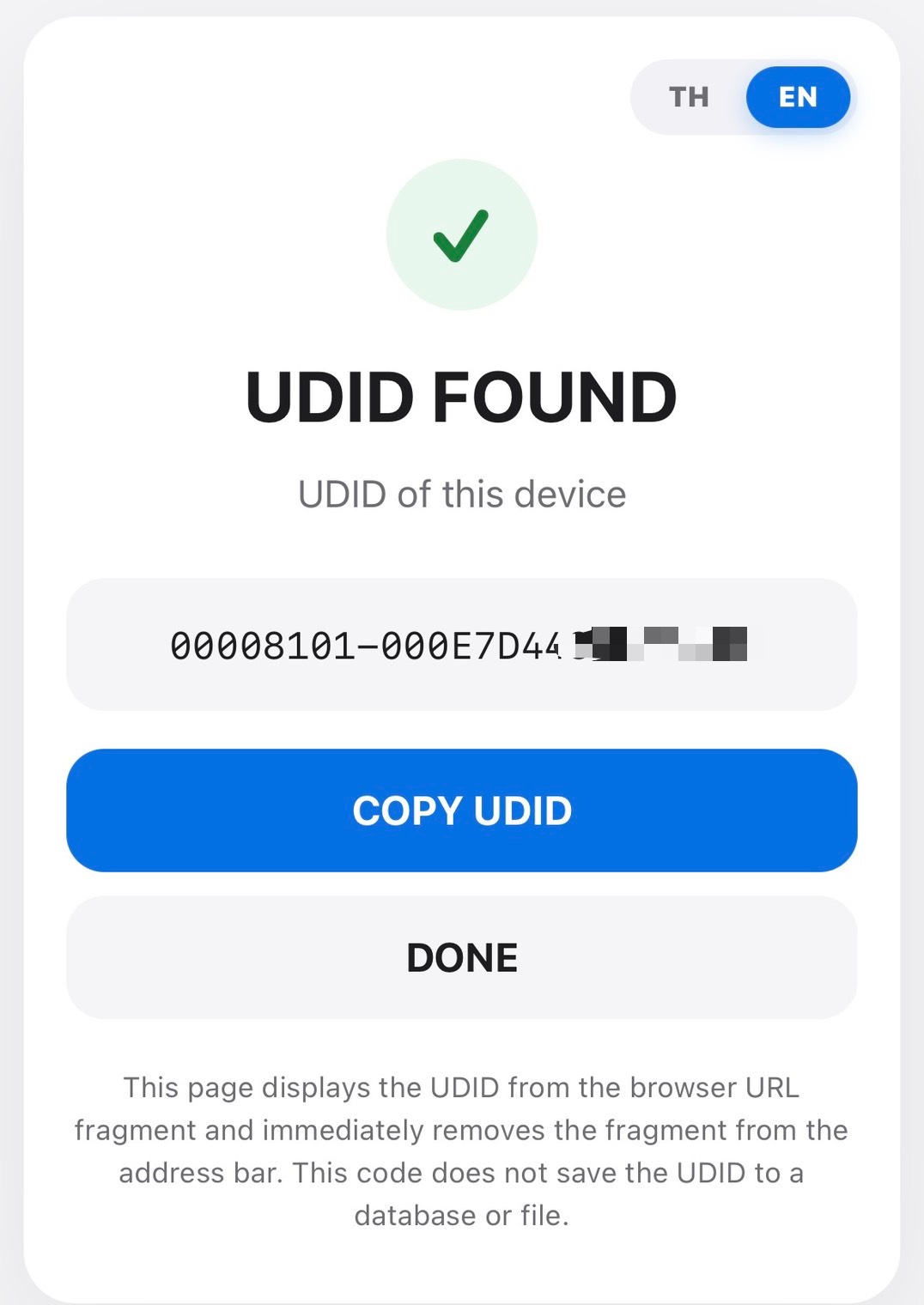
UDID FOUND
After installation, your UDID will appear in the browser. Tap COPY UDID to copy it.
Want to see the full flow from the beginning? Open the full guide
After installation, you will be returned to the UDID result page in Safari.